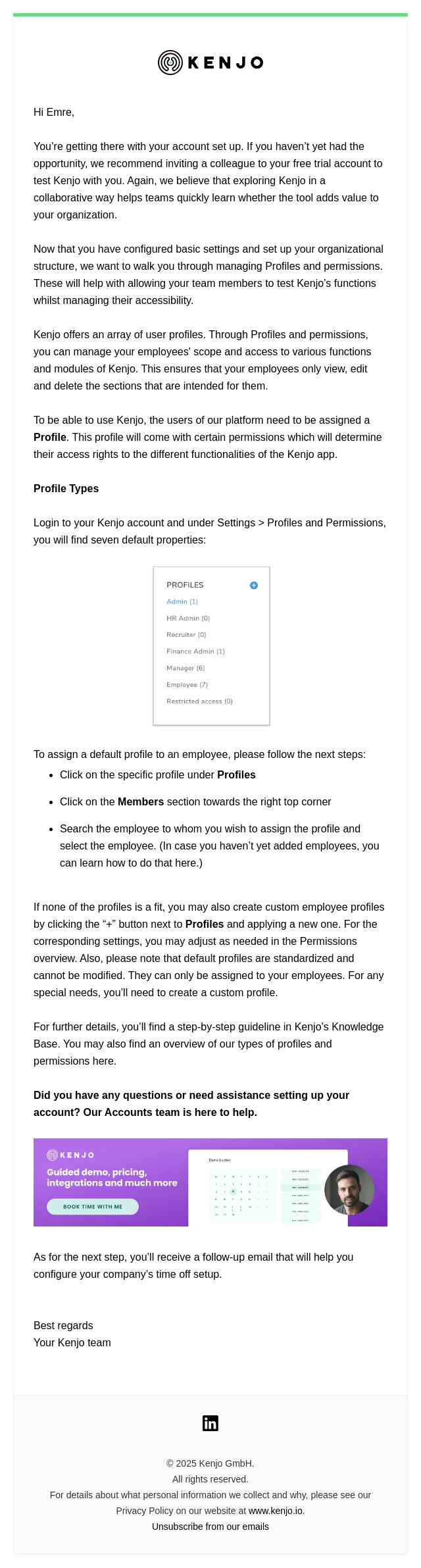
Setting up your organizational structure with Kenjo
Kenjo is the All-in-one platform to manage, communicate, and develop your frontline employees
- Product
- Kenjo
- Sent from
- kenjo.io
- Sent
No dark-mode styles — this email renders the same in a dark client.
Kenjo is the All-in-one platform to manage, communicate, and develop your frontline employees

Hi Emre,

We believe that admin should be effortless, but to reap the time saved, we’ve got to continue with your account’s set up to really discover Kenjo’s value.

In a few easy steps, your account’s public holidays calendar, company structure, and departments will be ready to go, so let’s continue.

Setting up your company’s Public Holiday Calendars

Login (https://mail.kenjo.io/e3t/Ctc/DJ+113/clpmB04/VX3r9_6jgjS1W90zpQC89-NKBW4nNzqf5TT4XMMwF3Tz3prCCW7Y8-PT6lZ3l0V549PJ1tqbMJW6Q5swq4rn1bwVsCX1M8Wh7jlW6dNg-87_kXQjW41HjKk8rVddyW1lWxZM57vJmrW1yyjjW1VL7gyN53y409lZwNBW1tVtX220B10LW68VYry3zLY2_W1bXMrH65H0Z5W8bw5lh73nXWJW8DKk1h3SBp_6W5b-zml7yVZDgW1K3GcB3_g7xHW3_W4zf8XLq6kW7QQ6y91rsyMWW1RQ8wH4NLj3XW1TPD4M4LcLNRW8Yt7jy2dqzq7V6TCv32h20L_W21RrJ13c1qJgN4TLbRgDgWfHW3Lpk5V4SYKjwW48NZqn9bCbLmW4ZyPVh2QJw3rf44Rjln04 ) to your Kenjo account and follow the below steps:

- Go to Settings by clicking on the gear icon at the bottom of the left menu options.
- Navigate to the Public holidays tab.
-  For the set-up, you can opt for our standard calendar, or you may add a local calendar by clicking on the “+” button next to PUBLIC HOLIDAY CALENDARS.
- Afterward, add the name and choose the associated country.
- Lastly, you may add any needed regional public holidays.

For more detail, you may also visit our Help Center page Configure Public Holidays (https://mail.kenjo.io/e3t/Ctc/DJ+113/clpmB04/VX3r9_6jgjS1W90zpQC89-NKBW4nNzqf5TT4XMMwF3Sn5m_5PW5BWr2F6lZ3nNW3LC8N320svH9W4lv5vN7myScLW5yh-wg7pZS8YW4Glfsp5kX8L1W21TR4V8C9n8SW1VcKyw5m_ZNHW7JbFvY8l2xykW8J9dp77gRmntW4Py2tN7nJt-9VHPml12hgP28W7MXwy14LhKM5W5rvhZd4jTvK4VfbR9f2lblgkN8hs-FbqBpv_W2J5QCZ5_T65tW2zbg6_3y11V_W6S8VVG2zJgvHW6-4ZVP6r_QX3W2wLzPp3DPM-jW1Wh03Z1Yz-FgW4vqVYm1BgxPDW2H3CBY1S-JxjW35V1gB3Cgx3lW5w0f_h2hKttyMC9tg2YYkjpVqZf7r4j4x1yW59GH896vfhd6W6K7CVs8MtKLLW34-xlT8dljS_W8CKQGp6CTK5YW8d8P_k3n2PRyW5s3xZB5Fk6cHW74h-k44zszcQW2F-Jrq5dvTl6f546fQP04 )

Setting up your company

Now that your public holiday calendar is set to go, let’s continue by following the additional steps below:

- Go back to Settings by clicking on the gear icon at the bottom of the left menu options.
- Afterward, select the tab My company.
- Select the “+” icon next to COMPANIES and begin filling out the associated fields.
- Afterward, scroll down and select the company working days under Work Schedule.
- Next, select the “Public holidays” calendar that you created in the Attach calendar of public holidays field.

- Now you may complete your company setup by creating a new email signature template for all employees. Simply click on the “+” icon under Email signature.

Once completed, you will now be ready to set up a department.

Setting up your Departments

As you should already be under Settings > My Company, click on the Departments arrow.

Under Departments, you'll find a set of standard departments.

You can retain the standard departments or rename them as per your requirements. Or click the '+' icon to add a new department. This will allow you to customize settings as you wish.

You may assign them to a department by selecting People > choose the employee > Personal > Work >  and select department under the Department field.

Note: In addition to setting up your company and departments, you may also set up additional offices, divisions, and teams within your organization.

For further detail, you’ll find a step-by-step guideline in Kenjo’s Knowledge Base (https://mail.kenjo.io/e3t/Ctc/DJ+113/clpmB04/VX3r9_6jgjS1W90zpQC89-NKBW4nNzqf5TT4XMMwF3Sn5m_5PW5BWr2F6lZ3pXW58sn2p5m1fczW8Z-QST42bzq5W8YJ4Fc7PGwdWW3Kn72Z3Ft5ldN7gYTwqjknW1W7Vqnxb4zlPjCW84wQ7B4slsDqW3g_f3l1_6bshW5wjGrc40dy7FW5VtM_F7zNQjZW1rh19D2H7JJjW8nJMcW3gp91CW78kcxn4Vqp56W6355R86S4kS1W2-RnFj3zJK2vN35XX0hSsbTZVr6KtB6-lRmTW98yDdJ4bD5FJW1KYjYR44ZH7BW5_cfNX7yKL_hW4Lhz6C7qZYcpW6rvZnR3vFP24F8LQxlsf1gCN3ZY7RWG-nrQW5gWCY17BpWGpW4yLb5b4f6_42N8L_53F4tldyW7MzNd25MsVx4N5x2J_JPS1y8W2Z2GgW69n_QlW3XKs6B3FlBCgW5pJBXv929BksN1sR2LmWK3-HVvYhmw8-CZxZf5zTllx04 ) .

Did you have any questions or need assistance setting up your account? Our Accounts team is here to help.

New call-to-action (https://mail.kenjo.io/e3t/Ctc/DJ+113/clpmB04/VX3r9_6jgjS1W90zpQC89-NKBW4nNzqf5TT4XMMwF3Sn7S8_gW5BWSxg6lZ3kLW4S52082sdNBPW3MF0GK2j6yl1W34qRFK3RrySvW6G2VlG10nD1GW4LlFJs3vgWKnW1gxJ3133mBLcVDwjmH6vh0RsW6YrtGG9jzd3GN1HqJm0g0zK1MfPSmyrGF7QW8tYrlw5XzZ6NVLr7v37K9y3ZW5SF1ML7TkSwkW1VYM0m3w5h4DW4-6Pnl86ClhhW7hSgRq691nXXW3s_xLs43ChT3W6ndgWn8Nc3PxW7zZSz85FWGG4W1zWHrX4n6MG_W3t495v8v0gMJW1rXPch4QmLBkW8RZMtC3jHFYwW3sGb_z5jn_6VW9gFqBp6q7MKyVtnFLp1tVQQ2W43LXpX7qP4yNW2LGCDM6XLpPjW6JkqNs7lLptQW95rcNy4vxSmyW5HyxGF1--Sn-W6m2YG41qXVkjN33vcbDglKCnN64_T99C5Q0WW5LJ3Th3PcH2JW8K-cVy33qZxqW7TskwG6hVF5DW7ZfBTC44t4RyW3-Kh6Y6T_PYYW5KyrLv7Rx0D5W38P2rF8W6HpWW8Zr1WM3DdRxlW884Lzn6wV1p0VnjC6h7201lkW4QlL-G3jLdWzW48Mr3h7fPNY_W6z7D816P7Fh-W8zytnZ8_zTk8N4MWmNjT_MjXW46DKkW7whWzbf6Fw1T004 )

Lastly, in the coming email, you will receive an intro to setting up your user’s profiles and permissions in Kenjo.

Best regards

Your Kenjo team


Kenjo LinkedIn (https://mail.kenjo.io/e3t/Ctc/DJ+113/clpmB04/VX3r9_6jgjS1W90zpQC89-NKBW4nNzqf5TT4XMMwF3TT3prCCW8wLKSR6lZ3lBW4_jPsY2MpkcFW45DL9B6xrGvHV6nV3n725jLSMRwKXjNm55NW1WTs8l3hfl1tW101lJz9b9nznN4FVhdHSvL2DW3MbdlN3xvDfCW7-07rP5NhdYDW7WbLGc3FF71SW9ccqQq2sTkBXW6-C-3171Jt24W12df_J2RkzW_N8Kr0kTbn4bgW5HfQJk4KgWcBW8kvqZl3-QnWJW4GZH3F7HdSMRW15bsmm7hpjCHW4lX1hH87VBkFW73BRJ74gChXmW7l3nY_3xs89yW1g-RWt4Zc2rXW4ZgsnC74-sxYW6_Gr_56Zy9-FN97QLRbRzDkpW64JzL47WgCQBMjZpmgKFQkJW1rCgbD4YFBgKf1N3vBq04 )

Kenjo GmbH, CEO: David Padilla
c/o The Delta Campus, 12043 Berlin,
Berlin

© 2025 Kenjo GmbH.

All rights reserved.

For details about what personal information we collect and why, please see our

Privacy Policy on our website at www.kenjo.io (https://mail.kenjo.io/e3t/Ctc/DJ+113/clpmB04/VX3r9_6jgjS1W90zpQC89-NKBW4nNzqf5TT4XMMwF3Tz3prCCW7Y8-PT6lZ3kqW1hG3V7690cRwW4Xd9bm41s8gpV1DnCv2_vYVzW3GjyxD54KxXQVHgF8n4dc99sN73l_qHBfgWpW8w2HFr4xB1ttW7zCnVB3HwsLtW8GnQ795J5sW8W78ly-M5wzV15W6MYhFq52f4hcF6T4qN698QVW5DvHlT4BvR1LW79YvLb8JDGpjW8-LMmq8lr5RPN8s1fXw2NL6QW4_2z6m4bk8lQW5GT5zN6Xs1FCN2bpZnKFHD5hW6Rc_cW2K3Dz-W5Fx9LJ86rrQBW6pmJh91CgcScN53jJQ5zQ9mYW65ZPks6cYMhfVc4ttG1x2XxlW3H423_3bcWhlf7kKyjd04 ) .

Unsubscribe from our emails

(https://mail.kenjo.io/hs/preferences-center/en/page?data=W2nXS-N30h-MkW4cy7vG3M86NlW24VkWp1Bd1GYW2qWsR82WzQr0W1LBCbv3CgRH_W3K8MpR2sVmVYW45Qv1h238w16W3dnxBT2PKqHjW21rl_G3QNptVW3j0C8F47wt-SW2xWzpw2r10DXW4rpF_l2TxvlKW1ZvzNh2-MlHnW2RL1wZ4hmv0dW2MVqxk2-Byn3W3jmQv33dqhp9W2-s5sF1-YvdQW3BZNSk1QCrn9W250s081VvbknW3R4mqH2-g9pfW3GXFs_45r4lCW1N5Zxs43N79tW4fDYtk3gv_5DW3Z-YN825jJR6W36gxNh3_F6tRW4rF3xk49RHVyW3Hc4M34mFzldW1Nh62x3JPpYcW4mjDh42vBpPtW1_8_K33ZxtGCW4rg4pp4hH9lhW215Qj62sxHtwW3K6LVF1_jtLmW23nDvy1XhzZ1W2Rm7tG2CxKmWW30kGZL34FKZwW1QkWfT2FGVZWW4hdYnp23lVLGW43s2w83K1Fj1W2Fq-K421n1mFW4r6FYm4rpCTsW1Lvx-d1Xn-G-W3bljc_4pz5SDW36vHbX2sSh53W2FSZQZ2y49J7W4kf3n52-d4XJW3GM1T325pJwxW4rw4bD3yL23WW1ZtN673G-wkhW3VWV2B4pBNw6W2ThwTd3HcvTmW1Vbqp62p2TVCW49K2r-4fH0YhW3yWd_R2nJmhGW3zbpbK36C0BJW254-2S4mnm6NW2zG6K71N4jJfW4mqwxs4csw1mW2358dJ2r5cpnW3JRRkD3ZWVLjW32szxM3BPF4VW3QBPKQ2vCFMyW3gdxhW4fnxDL0&_hsenc=p2ANqtz--DISX-fRu-ebuDjOrU0JHrMxnu-f8Nag30sxAt0XfOeKjHCYfSCcGjiDSrYNUWHtcr5IJiC4GG_q6snBxqMdCEOrdboMVJt7ykClpHOOY-xJopZhfao1KWrIYz-bS1eo3xVsq3&_hsmi=255230482 )
- Accession
- nse/kenjo/2026-09-12/1357
- From
- Marketing Kenjo · marketing@kenjo.io
- Sent
- 12 September 2026 · 17:00 UTC