Why should NEVER say "Learn More"
And what you should say instead
- Product
- Bitly
- Sent from
- c.bitly.com
- Sent
No dark-mode styles — this email renders the same in a dark client.
And what you should say instead

Bitly logo ( https://www.bitly.com?utm_campaign=261001_Warmup2_E4_CTA-Tips_Free&utm_medium=email_action&utm_source=customer-io )

****************************************************
Your links and buttons should never say "Learn More"
****************************************************

Here's what they should say instead
-----------------------------------

What makes a perfect call to action, or CTA (the words you see on a button or linked text)?

Our team has run hundreds of experiments, and we're sharing what we've learned so you can get more clicks than you ever thought possible.

-----------------------------------------------------------------------
Follow these 3 simple rules to turn your CTAs into click magnets 🧲
-----------------------------------------------------------------------

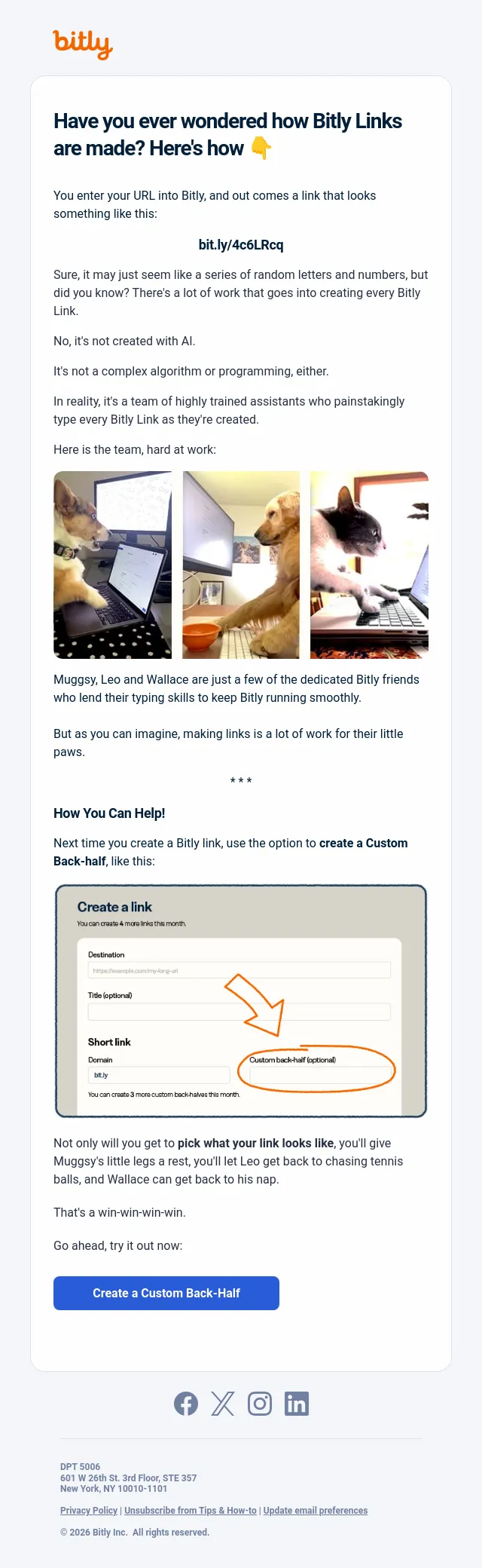
An image of a person rejecting a "learn more" button, but pointing approvingly at a "show me more" button. ( https://www.bitly.com?utm_campaign=261001_Warmup2_E4_CTA-Tips_Free&utm_medium=email_action&utm_source=customer-io )

1. Be bossy.

Want someone to take an action? Tell them!

Instead of sharing a link that says “Free Tickets,” you might say “Claim your free tickets.”

Simple as it sounds, adding a verb is something many people overlook. And it makes a big difference.

* * *

2. Build windows, not doors.

A random QR Code that just says "Scan me"...

A link that says "Click here" with no other context...

We call these "doors," because you can go through, but you don't know what to expect. That uncertainty creates anxiety (and we've all got enough of that).

A link or QR Code that says "Book an appointment," on the other hand—that's a window. Perfectly clear what's on the other side. Comforting and easy to click.

* * *

3. Don't make them work

Finally, we come to the most over-used CTA: "Learn more."

But learning—that sounds an awful lot like homework, and who wants to do that? ("Read more" is another offender).

Instead, reach for low-effort verbs, like "explore" or "see."

Or better yet, flip it around so YOU are the one doing the work rather than your audience. Try CTAs like "Show me more" or "Tell me more," and watch the clicks pile up.

* * *

But how will I know if it's working?

Keeping track of your clicks and scans gives you a clear and immediate signal around which links are working, and which need work.

You can check your Analytics dashboard ( https://app.bitly.com/default/analytics/?utm_campaign=261001_Warmup2_E4_CTA-Tips_Free&utm_medium=email_action&utm_source=customer-io ) for a detailed summary.

Or simply slide over to your Bitly Assist chat ( https://app.bitly.com/default/home?chatPanel=true&utm_campaign=261001_Warmup2_E4_CTA-Tips_Free&utm_medium=email_action&utm_source=customer-io ) and ask how your links are performing. (It's actually kind of amazing.)

Both tools are included with any plan above free.

Show me my options ( https://bitly.com/pages/pricing?utm_campaign=261001_Warmup2_E4_CTA-Tips_Free&utm_medium=email_action&utm_source=customer-io )

Facebook ( https://facebook.com/bitly?utm_campaign=261001_Warmup2_E4_CTA-Tips_Free&utm_medium=email_action&utm_source=customer-io )

X ( https://twitter.com/bitly?utm_campaign=261001_Warmup2_E4_CTA-Tips_Free&utm_medium=email_action&utm_source=customer-io )

Instagram ( https://instagram.com/bitly?utm_campaign=261001_Warmup2_E4_CTA-Tips_Free&utm_medium=email_action&utm_source=customer-io )

LinkedIn ( https://www.linkedin.com/company/552285?utm_campaign=261001_Warmup2_E4_CTA-Tips_Free&utm_medium=email_action&utm_source=customer-io )

------------------------------------------------------------------------------------------------------------------------------------------------------------------------------------------------------------------------------------------------------------------------------------------------------------------------------------------------------------------------------------------------------------------------------------------------------------------------------------------------------------------------------------------------------------------------------------------------------------------------------------------------------------------------------------------------------------------------------------------------------------------------------------------------------------------------------------------------------------------------------------------------------------------------------------------------------------------------------------------------------------------------------

DPT 5006
601 W 26th St. 3rd Floor, STE 357
New York, NY 10010-1101

Privacy Policy ( https://bitly.com/pages/privacy?utm_campaign=261001_Warmup2_E4_CTA-Tips_Free&utm_medium=email_action&utm_source=customer-io ) | Unsubscribe from Tips & How-to ( https://track.customer.io/unsubscribe/dgTuwwwLAJP4gQSS-IEEAaFQO2OczDDM0phI5uhSRg== ) | Update email preferences ( https://track.customer.io/manage_subscription_preferences/dgTuwwwLAJP4gQSS-IEEAaFQO2OczDDM0phI5uhSRg== )

© 2026 Bitly Inc. All rights reserved.- Accession
- nse/bitly/2026-10-18/4353
- From
- Bitly Team · hello@c.bitly.com
- Sent
- 18 October 2026 · 18:00 UTC