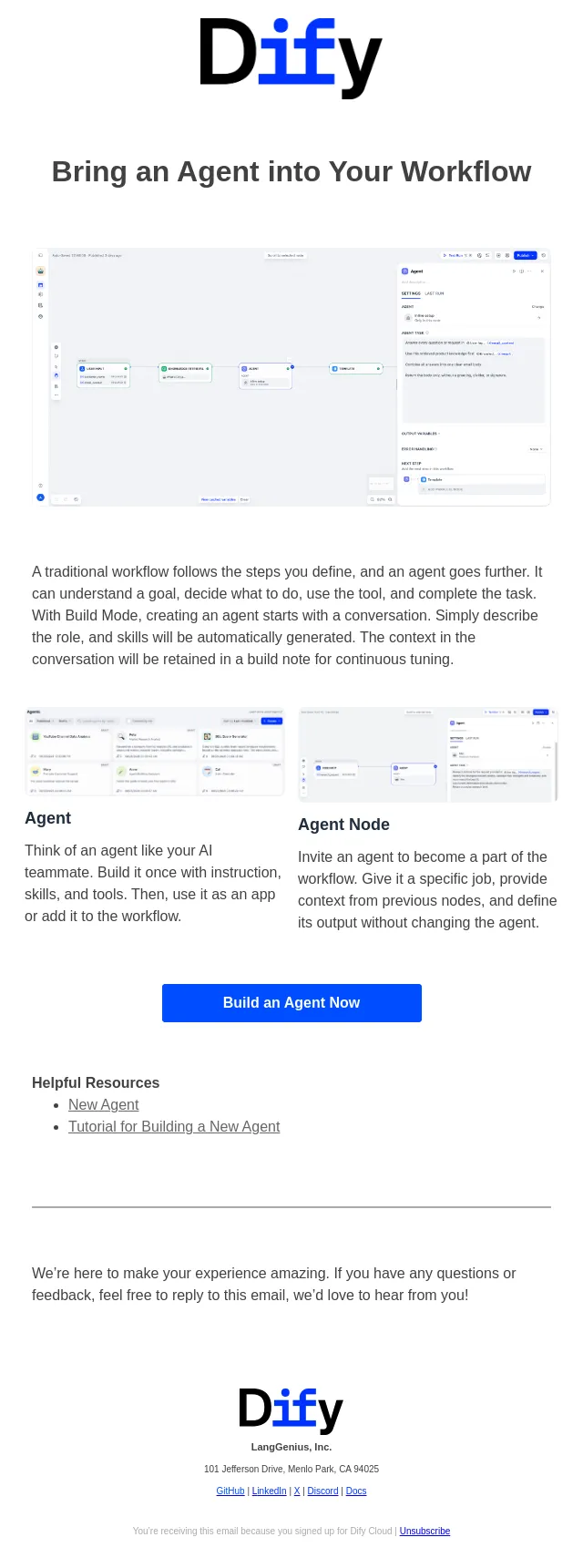
Slack has product context. Now Spark can tap into it.
Plus six more Productboard updates — create opportunities, manage health updates with Spark, and more.
- Product
- Productboard
- Sent from
- productboard.com
- Sent
No dark-mode styles — this email renders the same in a dark client.
Plus six more Productboard updates — create opportunities, manage health updates with Spark, and more.
 [Image] Connect Spark to Slack
 [Image] Slack holds the customer escalation threads, DMs with engineers discussing technical constraints, and channels where important strategic decisions get made. With Productboard’s Slack MCP connector, Spark can bring that context into the product spec you’re writing or capture it in your product source of truth.
 Ask Spark to search a channel for relevant messages, fetch information from a recent DM, or extract key details from a specific thread. All that context is now available right where you’re already working in Productboard.
 And when you finish drafting a product brief, now you can ask Spark to DM your collaborators to solicit feedback. You can even schedule an automation to post regular updates over in
 #product-releases
 or your team channel.
 With so many new AI workflows unlocked for bridging these two systems, we’d love to hear how your teams are putting the new connector to use. Stop by Productboard’s Slack community (or join today). Learn more
 [Image] Create your own opportunities
 Until now, opportunities have been solely generated by Spark, surfaced automatically from clustered feedback findings and strategic context. Now you can create new opportunities as well, which Spark will keep current with the latest market signals. Learn more
 [Image] Manage health updates from Spark chat
 Ask Spark to post a health update, such as “mark this feature at risk because the vendor integration slipped.” It confirms the status and wording before posting it under your name. Spark can also check health status, show what’s off track, and flag entities without a recent update. Learn more
 More features & enhancements
 Add more to your Favorites
 You can now add more types of entities to your Favorites so they’re always a click away under Home in the main navigation. Favorite Spark chats, features, releases, findings, opportunities, initiatives, documents, and more.
 Mention entities within a skill
 When editing a custom skill, type @ to reference a specific entity, just as you would in a Spark prompt. It means you can set clear instructions with reliable results, such as exactly which release group to use, or which document to draw context from.
 Grid groupings show item counts
 Grid board groupings now show how many items each group contains. Values update as filters are adjusted to reflect the board’s current contents.
 Quick actions in global search
 The global search bar can now also be used to search the board, document, or data page you’re on, or send your query directly to Spark. These new options appear under Quick actions as soon as you start typing.
 [Image] Academy [Image] Community [Image] Support [Image] [Image] [Image] [Image] [Image] Copyright © 2026 Productboard, Inc. All rights reserved.
 333 Bush Street, 20th Floor, San Francisco, CA 94104 Unsubscribe from this list
- Accession
- nse/productboard/2026-09-05/528
- From
- Productboard · team@productboard.com
- Sent
- 5 September 2026 · 00:00 UTC