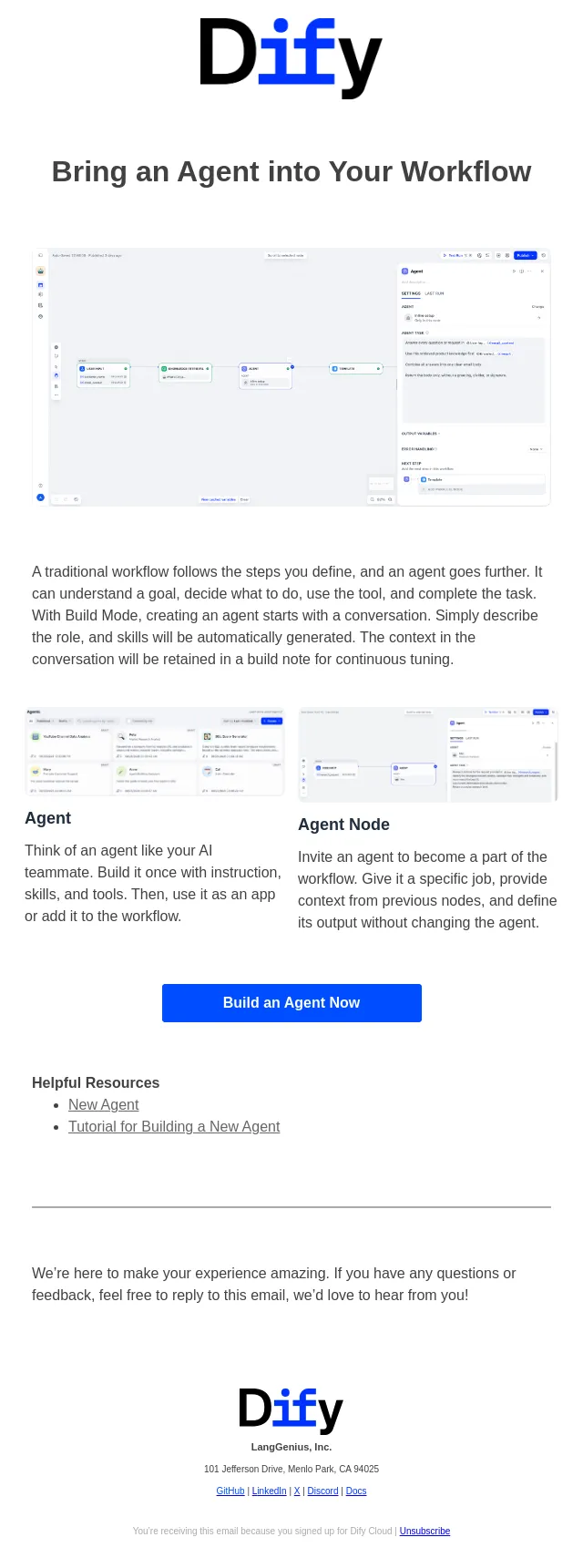
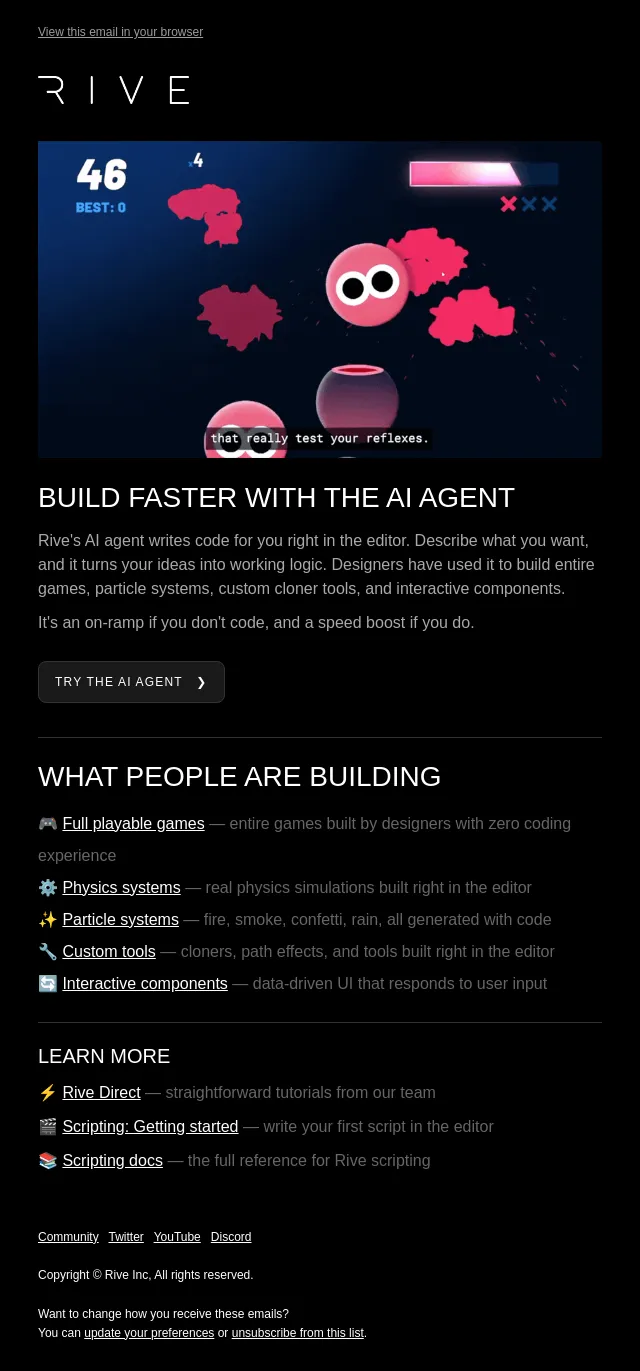
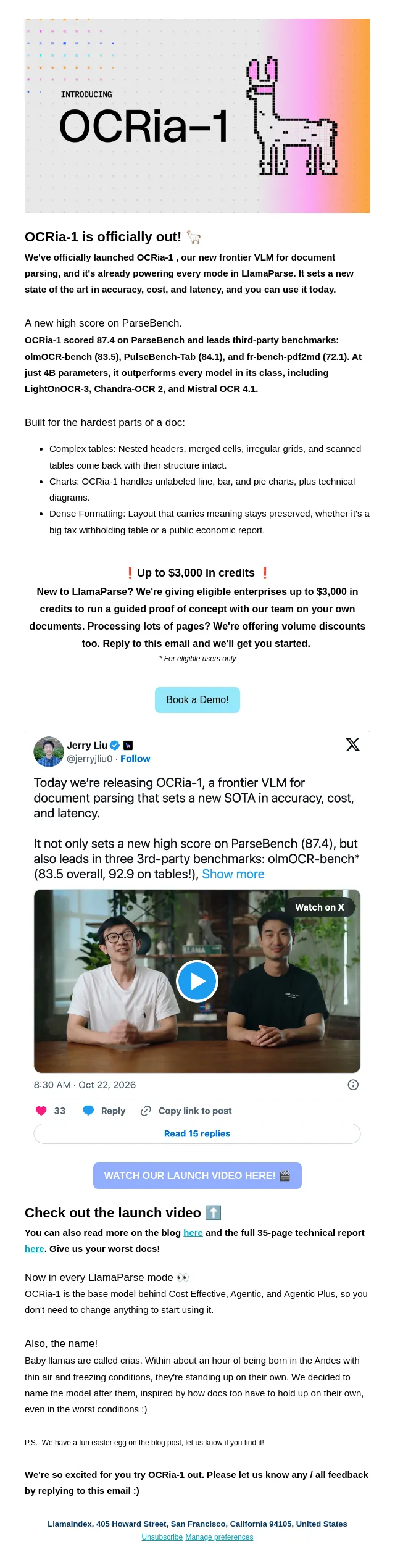
Give your specs a reality check with codebase analysis
Plus 12 more Productboard updates — subagents for parallel work, teamspace visibility controls, and a faster boards engine.
- Product
- Productboard
- Sent from
- productboard.com
- Sent
No dark-mode styles — this email renders the same in a dark client.
Plus 12 more Productboard updates — subagents for parallel work, teamspace visibility controls, and a faster boards engine.
 [Image] Specs backed by your codebase
 [Image] Whenever there’s a gap between what your spec assumes your product does and what the code actually does, you have the makings of a mid-sprint surprise. It’s the API that already exists, the permission check nobody mentioned, or the overlooked edge case. AI-assisted product specification can surface these technical factors early on, even before you’ve touched base with your engineering counterparts.
 That’s where Productboard’s codebase analysis fits in, now integrated with GitHub, GitLab, Bitbucket Cloud, and Azure DevOps Services. Connect your repositories so Spark can draft delivery-ready specifications and surface hidden requirements based on analysis of your actual product implementation.
 Once connected, ask Spark a technical question about your product and it automatically runs the
 /codebase-analysis
 skill to provide an answer in seconds. Draft a spec with Spark and it employs codebase analysis to understand the product's current state before planning what's next.
 How would this level of insight into the inner workings of your product impact the quality of your decisions? Connect your codebase
 [Image] Spark sees how entities have changed over time
 Ask Spark what changed on any piece of product work, when it changed, and who made the update. Spark can also surface just the items that have gone quiet, like those with no health update this week, or items that recently hit a specific status, like being marked Complete last month. Learn more
 [Image] Subagents for parallelizing complex work
 Spark can now split a complex request across independent subagents, running up to six tasks in parallel while continuing other work in the meantime. It incorporates each result as it arrives, and you can inspect any subagent’s reasoning and output along the way. Learn more
 [Image] Choose which products appear in your teamspace
 Enterprise plan
 In teamspace settings, a new option lets you turn off visibility for products that aren’t relevant to your team’s work. Once hidden, they won’t show up on any boards, including filter menus and other configurations. Learn more
 More features & enhancements
 Text editor updates
 As we prepare to unify the text editing experience across Productboard, you may notice a few changes to the appearance of formatting options in places like entity description fields and health updates. One immediate benefit: you can now use the
 /
 formatting slash command just like you can in documents and specifications.
 Speak to Spark with voice input
 Now you can dictate your prompts to Spark. Ctrl+M starts and stops voice input from anywhere in Productboard and inserts it into a Spark prompt, ready for you to submit. Voice input is also available in global search.
 Performance boost on boards
 Productboard’s boards now load, filter, and group data up to 46% faster. Filter combinations also produce more predictable results, and
 Hide empty
 is now available on simple filters as well as advanced ones.
 Enhanced MCP writes back to Productboard
 External agents can now more reliably write edits back to specs and documents through the Productboard MCP, with improved support for mentioning specific product entities. Every edit made through MCP is now logged in the document’s version history.
 Spark can edit 100 items in one go
 Spark can now create or edit up to 100 items in a single turn. Larger backlog imports and bulk edits that once required several approval steps can now finish in one.
 Spark can resolve comments
 In documents and specs, Spark can now leave inline comments as well as resolve or reopen them. Ask it for detailed feedback, or have it critique your work from a specific perspective. Comments Spark leaves on your behalf are still attributed to you.
 Filter global search results by item type
 In global search, found in the top navigation, you can now filter results by the type of entity you’re looking for, like features, customers, boards, or documents.
 Manage Portal cards with Spark
 Ask Spark to draft a Portal card description for a feature, then tell it what Portal, tab, and subsection the card should appear in.
 Grid column filters for seeing just your work
 On grid boards, now it's easier to see just your work or your team's work. Filter owner, member, and team columns with new filter options accessible from column headers.
 AI Analyze, AI Search, and AI Editor are moving into Spark
 On Fri Oct 30, we're consolidating AI Analyze, AI Search for relevant insights, and AI Editor into Spark — one place for feedback analysis, insight search, and AI-assisted drafting, alongside spec writing and competitor research. If you used any of these, prompt Spark directly, or run
 /
 feedback-analysis for feedback synthesis. Learn about Spark or dive into feedback analysis
 Meet with a Productboard product manager
 [Image] Over a 30-minute call we’ll show you how we use Spark day-to-day on a real use case, answer your questions, and get input on where we take Spark next. Book a call
 [Image] Academy [Image] Community [Image] Support [Image] [Image] [Image] [Image] [Image] Copyright © 2026 Productboard, Inc. All rights reserved.
 333 Bush Street, 20th Floor, San Francisco, CA 94104 Unsubscribe from this list
- Accession
- nse/productboard/2026-09-30/2897
- From
- Productboard · team@productboard.com
- Sent
- 30 September 2026 · 13:00 UTC