Add video conferencing links to every zcal event
Hi Emre,
- Product
- zcal
- Sent from
- learn.zcal.co
- Sent
No dark-mode styles — this email renders the same in a dark client.
Hi Emre,
Did you know you can automatically add Zoom, Google Meet or Microsoft Teams meeting links to booked zcal events? Here s how to set it up.
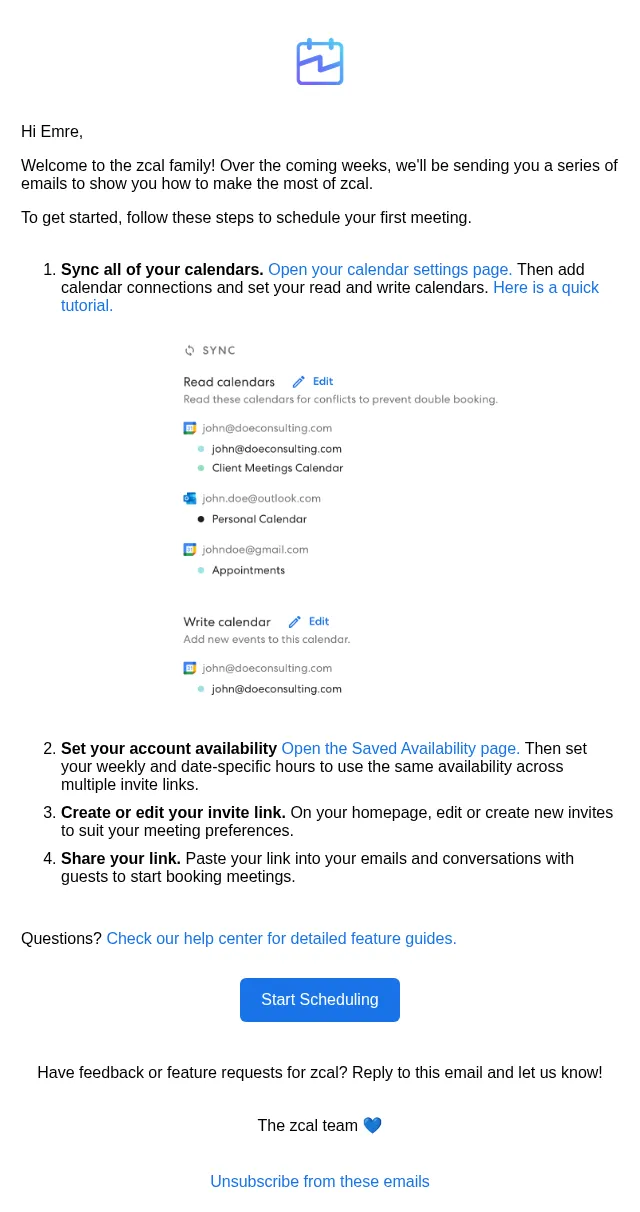
Connect your preferred video conferencing provider by going to the Account Settings page and opening the Integrations tab.
Once your video conferencing integration is connected, select it as the Location when you are creating or editing a link.
Now zcal will automatically add the video conferencing link to every new event booked through this link. 🎉
Start Scheduling
Have feedback or feature requests for zcal? Reply to this email and let us know!
The zcal team 💙
Unsubscribe from these emails
- Accession
- nse/zcal/2026-11-06/6310
- From
- zcal Tips · team@learn.zcal.co
- Sent
- 6 November 2026 · 14:00 UTC