Design anywhere. Send from Benchmark.
Plus a live session with Stripo tomorrow!
- Product
- Benchmarkemail
- Sent from
- mktg.benchmarkemail.com
- Sent
No dark-mode styles — this email renders the same in a dark client.
| Benchmark News |

Your Brand, However You Build

Hi Emre,


Open your promotions tab and scroll for 10 seconds. Plenty of those emails could
have come from anyone: same layout, same stock photo, same "Shop Now" button.


Making yours look like yours doesn't take a design team anymore. Maybe you
design in Canva. Maybe you ask ChatGPT for the HTML, or a designer hands you a
file, or you build straight in our drag-and-drop editor. This issue covers all
of those, starting with a live session tomorrow on building HTML emails with
Stripo.


Let's get to it!

Allie from Benchmark

Allie Wolff


VP, Product Marketing

Build It in Stripo. Send It in Benchmark.

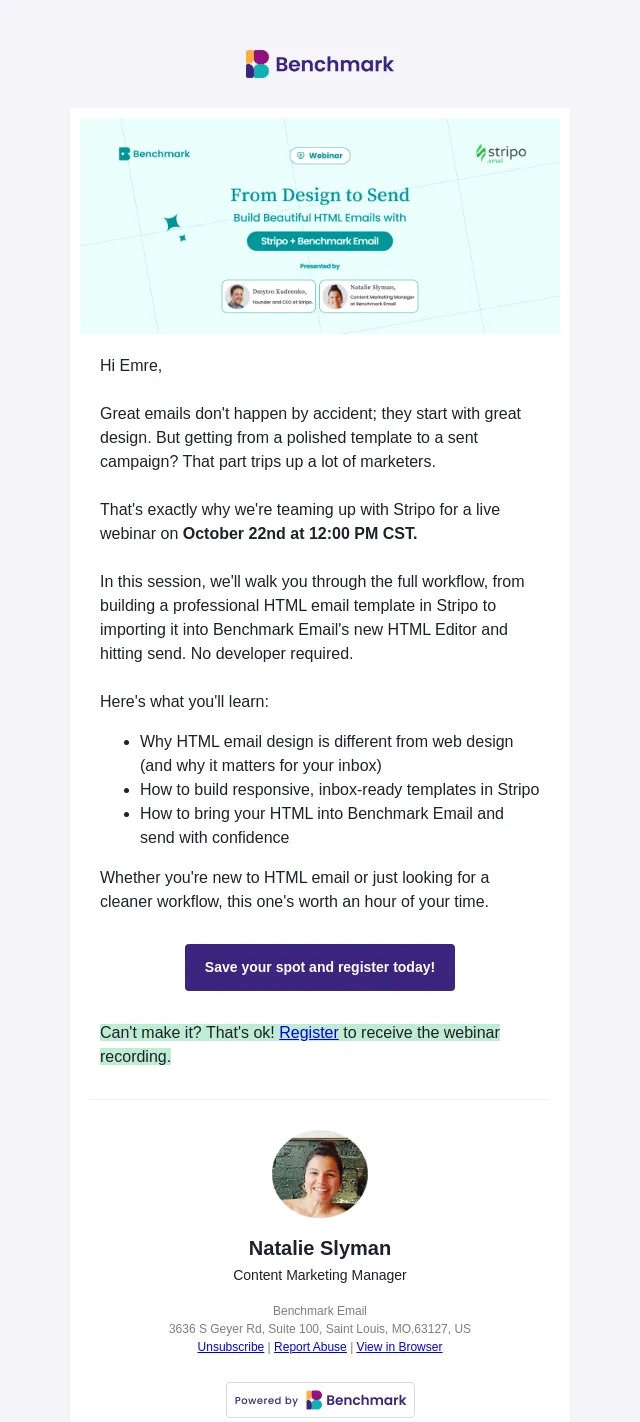
Live Webinar · Tomorrow

Build it in Stripo. Send it in Benchmark.

Thursday, October 22 · 12:00 PM CT / 1:00 PM ET · Free

You've got a design you love. Getting it into an inbox without the layout
breaking is where things usually fall apart.


Tomorrow, Natalie Slyman, our Content Marketing Manager, and the team at Stripo
will walk through the whole workflow live. You'll see why HTML email works
differently from a web page, how to build a responsive, inbox-ready template in
Stripo, and how to bring that code into Benchmark's new HTML Editor and hit
send. No developer required.

Build It Your Way

Three Ways to Make Your Emails Look Like You

Start from your website

Start from your website. Your site already has your colors, fonts, and spacing
worked out. Pull the exact values (your browser's developer tools will show you
the hex codes), give them to an AI tool as a detailed brief, and refine the
first draft until it matches. One tip worth stealing: custom web fonts often
don't load in email, so pick a safe fallback like Arial or Georgia.

Let ChatGPT write the HTML

Let ChatGPT write the HTML. No coding background needed. Our free prompt already
has the inbox-safe HTML rules built in. Add your website, what the email is for,
and what you want readers to do, then paste the result into Benchmark's HTML
Editor. Leave the footer out, since Benchmark adds one for you.

Design it in Canva

Design it in Canva. Canva handles the look and HTML handles the structure.
Design on a 600px-wide canvas in stacked sections, keep headlines and buttons
out of your images so they stay readable and clickable, and export photos and
logos as separate files.

Whichever route you take, send yourself a test on desktop and mobile before it
goes out.

Is AI Making Every Email Look the Same?

Hype Check

Is AI Making Every Email Look the Same?

Spend a few minutes on marketing LinkedIn and you'll hear the worry. Now that
anyone can generate an email in 30 seconds, inboxes are filling up with the same
polished, forgettable layout and the same "Elevate your experience" headline.


Is it true? Partly. An AI tool fills every gap you leave with the most common
answer it knows. Don't tell it your colors, and you get the colors everyone
uses. Don't show it how you write, and you get copy that sounds like everyone
else's.


The fix is the same thing that made emails look like yours before AI: give it
your brand. Your hex codes, your fonts, your logo, and a few lines of copy
you've written yourself. The posts above show how to do that with ChatGPT and
Canva, and inside Benchmark, the new Brand Kit keeps your logo, colors, and
fonts ready every time you build.


So AI makes a generic email easy to send. Your brand is what makes it worth
opening.

New in Benchmark

Fresh From the September Release

Brand Kit.

Brand Kit. Save your logo, brand colors, and fonts once in Settings. Your colors
show up first in the color picker, your fonts apply to new heading and text
blocks, and your logo sits at the top of your image uploads.

Share your emails anywhere

Share your emails anywhere. Every email now includes a View in Browser link in
the footer. After you send, grab a shareable link to the web version and post it
on social or your website.

A new AI Assistant

A new AI Assistant. Click the AI icon on any block in the email or sign-up form
builder and describe what you want. It writes or rewrites copy, creates or edits
images, and can change whole sections, like columns or background colors.

Benchmark Logo

Follow Us On Social

Instagram icon

LinkedIn icon

Facebook icon

YouTube icon


View in Browser: https://t.mktg.benchmarkemail.com/hc/2/9dzFeJ2PQRZMjur8nAKzVA/WKHje1bE21278JgXe7RNlhScmpRFIUD_SDE05dSm4-g9OX7Wt9vOKXsXHSB8oG_obuToGoqC8P0hX97Vf7PjAA

This email was sent using Benchmark Email, effortless email marketing software for busy marketers.
https://www.benchmarkemail.com/landing-pages/powered-by-benchmark/?linkId=lp_573359&sourceId=nxg-footer-badge&tenantId=benchmark-email
- Accession
- nse/benchmarkemail/2026-10-21/4680
- From
- Allie from Benchmark · allie@mktg.benchmarkemail.com
- Sent
- 21 October 2026 · 14:00 UTC